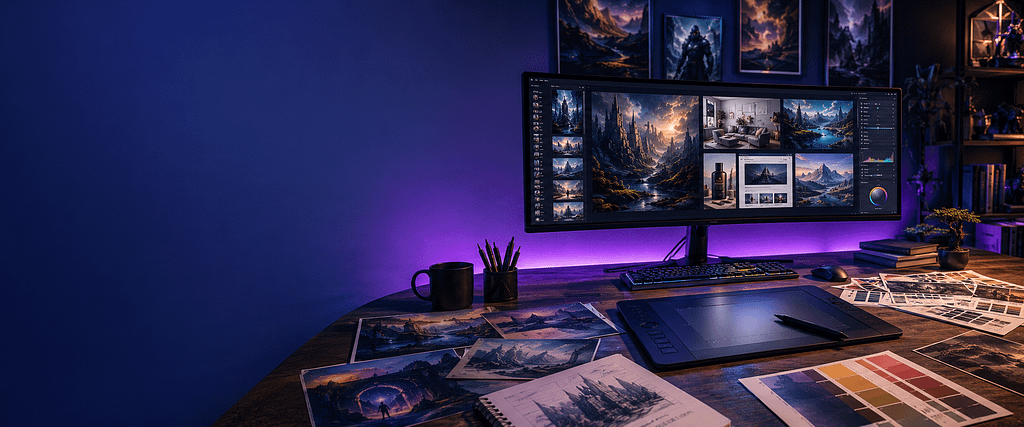
Complete Guide to Midjourney (2026) | Affiliate Marketers
Learn how to use Midjourney to create stunning AI images, website graphics, product visuals, and marketing content for affiliate marketing success.
⭐ Key Takeaways
By the end of this guide, readers will know how to:
- Understand what makes Midjourney different from other image generators.
- Create stronger prompts with subjects, settings, lighting, styles, and composition.
- Produce featured images, advertisements, product visuals, and social graphics.
- Maintain a consistent visual style across a website or campaign.
- Edit and expand images using Midjourney’s web tools.
- Understand subscriptions and important commercial-use considerations.
Midjourney currently offers web-based creation and editing tools, including Remix, Pan, Zoom Out, and Vary Region. Its official documentation lists V8.1 as the current default model.
Introduction
Why Midjourney Matters for Affiliate Marketers
Visual presentation plays a major role in how visitors experience an affiliate website. Readers may arrive because of a headline or search result, but strong featured images, comparison graphics, social-media visuals, and product concepts can make the content feel more professional and trustworthy.
Midjourney gives affiliate marketers a way to create distinctive visual assets without relying entirely on generic stock photography. You can use it to develop website hero images, illustrated tutorials, Pinterest graphics, advertising concepts, ebook covers, digital-product artwork, branded backgrounds, and creative imagery tailored to a particular audience.
Its biggest strength is visual quality and creative interpretation. Midjourney is especially useful when you want imagery that feels cinematic, artistic, premium, or difficult to find in a traditional stock-photo library. Its current tools also support style references, personalization, image prompting, moodboards, editing, and other controls that can help keep a collection of images visually consistent.
However, attractive images alone do not create a successful marketing campaign. The visuals must still support the article, clarify the message, match the brand, and help readers understand what comes next. The most effective approach is to use Midjourney as a creative production tool while allowing your marketing strategy and audience knowledge to guide every image you generate.
Chapter 1:
What Is Midjourney?
Midjourney is an AI-powered creative platform that generates images from written prompts and visual references. Rather than requiring traditional illustration or photography skills, it allows users to describe a subject, setting, mood, composition, and style, then produces several visual interpretations that can be refined further.
Today, users can create through Midjourney’s website as well as through Discord. The web experience includes tools for creating, organizing, and modifying images, while the Editor supports functions such as inpainting, Remix, Pan, and Zoom Out.
What makes it different?
Midjourney is particularly strong at:
- Cinematic and imaginative scenes
- Premium editorial artwork
- Fantasy and concept art
- Photorealistic lifestyle imagery
- Distinctive lighting and atmosphere
- Strong visual composition
- Style exploration and creative variations
It is less focused on drag-and-drop marketing design than Canva and less tightly integrated into a general writing workflow than ChatGPT. Its role is more specialized: turning creative direction into high-impact visual imagery.
Current access and pricing
Midjourney does not currently offer a general free trial through its website or Discord. Official plans begin at $10 per month, with Standard, Pro, and Mega tiers providing higher GPU allowances and additional capabilities.
Important commercial-use note
Midjourney’s official guidance says subscribers generally own the images and videos they create, subject to its terms. Businesses generating more than $1 million in annual gross revenue need a Pro or Mega plan for company commercial use.
💡 Pro Tip
Do not begin with complicated parameters. Start with a clear description of the subject, setting, mood, lighting, composition, and intended use. Once Midjourney understands the basic concept, refine it through variations and editing.
⭐ Chapter Summary
Midjourney is a specialized visual-creation platform best known for polished, imaginative, and highly styled imagery. For affiliate marketers, it can replace generic stock visuals with original images designed specifically for articles, campaigns, and digital products.
➜ Transition to Chapter 2
Now that readers understand what Midjourney is, Chapter 2 will explain why affiliate marketers use it and which marketing assets it creates especially well.
Chapter 2:
Why Affiliate Marketers Use Midjourney
Affiliate marketing is a competitive business where first impressions matter. Long before a visitor reads your content or clicks an affiliate link, they begin forming an opinion based on how your website looks. Professional visuals help establish trust, improve engagement, and encourage visitors to spend more time exploring your content.
For many years, affiliate marketers relied on stock photography or expensive custom graphic design. While stock images are convenient, they’re often overused and rarely reflect your unique brand. Custom photography and illustration can be expensive and time-consuming, especially for smaller websites and solo entrepreneurs.
Midjourney changes that equation by allowing marketers to create original, eye-catching images tailored specifically to their content. Instead of settling for generic visuals, you can generate custom graphics that support your message, reinforce your brand, and make your website stand out from competitors.
Whether you’re publishing product reviews, comparison articles, tutorials, or informational blog posts, unique imagery helps create a more professional experience that encourages visitors to continue reading.
🎯 Where Midjourney Excels
Midjourney is especially effective for creating marketing visuals that don’t need to represent an exact real-world product but instead communicate ideas, emotions, and concepts. Some of the most valuable applications include:
- Website hero images
- Blog featured images
- Digital product covers
- Lead magnet graphics
- Pinterest pins
- YouTube thumbnails
- Social media graphics
- Ebook covers
- Marketing banners
- Concept artwork
- Lifestyle imagery
- Background graphics
Because every image is generated specifically for your project, your content develops a more recognizable visual identity than websites that depend entirely on stock photography.
⭐ Why Custom Images Improve Your Brand
Every successful affiliate website develops a recognizable style. Visitors begin associating certain colors, layouts, and visual themes with your content. Midjourney makes it possible to build that consistency without hiring a professional designer.
Using similar lighting, color palettes, compositions, and artistic styles across your articles creates a stronger brand identity. Instead of looking like a collection of unrelated blog posts, your website begins to feel like a unified resource with its own personality.
Consistent visuals also improve user experience by making your articles more inviting and memorable, increasing the likelihood that readers will return to your site in the future.
🚀 Practical Ways to Use Midjourney
As your affiliate business grows, you’ll discover that Midjourney can support almost every stage of your content creation workflow.
For example, you can create:
- Hero images for cornerstone guides
- Illustrations for tutorial articles
- Product comparison graphics
- Website category banners
- Infographics
- Email newsletter headers
- Facebook ad concepts
- Pinterest marketing campaigns
- Digital workbook covers
- Branded backgrounds for videos and presentations
The ability to produce these assets on demand gives you greater creative freedom while reducing the ongoing cost of purchasing stock photography or outsourcing graphic design.
💡 Pro Tip
Rather than generating a completely different style for every article, choose a consistent visual theme for your website. Using similar lighting, colors, composition, and artistic direction across your content helps strengthen your brand and creates a more professional appearance.
⭐ Chapter Summary
Midjourney helps affiliate marketers move beyond generic stock photography by making it easy to create original, high-quality visuals that enhance blog posts, social media campaigns, digital products, and marketing materials. Consistent custom imagery strengthens your brand, improves reader engagement, and helps your content stand out in a crowded marketplace.
➜ Transition to Chapter 3
Now that you understand why Midjourney is such a valuable tool for affiliate marketers, the next step is learning how to communicate effectively with the AI. In Chapter 3, you’ll discover how to write better prompts that consistently produce the images you envision, along with practical techniques for refining and improving your results.
👨💻 Webmaster Recommendation
💡 Idea
        ↓
✍️ Write Prompt
        ↓
🎨 Generate Images
        ↓
🛠️ Refine & Upscale
        ↓
🌐 Publish to Website
        ↓
📈 Attract More Visitors
Chapter 3:
How to Write Better Midjourney Prompts
One of the biggest misconceptions about Midjourney is that creating beautiful AI images requires complicated commands or advanced technical knowledge. In reality, the quality of the image depends far more on the clarity of your description than on memorizing dozens of parameters.
Think of Midjourney as collaborating with a talented artist. The more clearly you describe your vision, the more accurately the AI can bring that vision to life. A short prompt such as “office” leaves enormous room for interpretation, while a detailed description gives Midjourney clear creative direction.
For affiliate marketers, learning to write effective prompts is one of the most valuable skills you can develop. Well-written prompts help create images that support your content, reinforce your branding, and connect with your audience. The goal isn’t simply to generate attractive artwork—it’s to create visuals that strengthen your marketing message.
🧩 The Anatomy of a Great Prompt
Most successful Midjourney prompts contain several key elements that work together to describe the final image.
1️⃣ Subject
Start by describing the primary subject.
Examples:
- Modern home office
- Professional marketer
- Luxury workspace
- Coffee shop
- Mountain landscape
- Digital entrepreneur
2️⃣ Environment
Describe where the subject exists.
Examples:
- Bright home office
- Modern downtown apartment
- Creative design studio
- Luxury office
- Outdoor café
- Mountain cabin
3️⃣ Mood
Explain how the image should feel.
Examples:
- Professional
- Modern
- Inspiring
- Relaxing
- Energetic
- Premium
- Cinematic
4️⃣ Lighting
Lighting dramatically changes the final result.
Examples:
- Warm morning sunlight
- Soft natural daylight
- Golden hour
- Studio lighting
- Moody blue lighting
- Cinematic shadows
5️⃣ Composition
Tell Midjourney how the scene should be framed.
Examples:
- Wide-angle
- Close-up
- Eye level
- Top-down
- Portrait orientation
- Landscape orientation
- Clean background
- Left side empty for headline text
6️⃣ Style
Finally, explain the artistic direction.
Examples:
- Ultra-realistic
- Editorial photography
- Luxury lifestyle
- Cinematic
- Minimalist
- High-end commercial photography
- Magazine quality
- Photorealistic
Example Prompt
Instead of writing:
Modern officeWrite something like:
Ultra-realistic modern home office designed for affiliate marketing, large ultrawide monitor displaying generic website analytics and content planning dashboards, warm natural daylight, luxury wood desk, blue and gray color palette, professional editorial photography, shallow depth of field, cinematic lighting, landscape orientation, clean space on the left for website headline.Notice how the second prompt gives Midjourney a complete creative direction rather than just a simple subject.
Common Prompt Mistakes
Many beginners struggle because their prompts are too vague or try to describe too many ideas at once.
Avoid these common mistakes:
- Using only one or two descriptive words
- Mixing unrelated styles in a single prompt
- Forgetting to specify lighting or mood
- Leaving out image orientation
- Overloading the prompt with unnecessary details
- Expecting perfect results on the first generation
Remember that image creation is an iterative process. Small adjustments to wording often produce dramatically different results.
Building Prompt Templates
One of the fastest ways to improve your workflow is to create reusable prompt templates. Instead of writing every prompt from scratch, build a framework that you can customize for each project.
A simple template might look like this:
Subject →
Environment →
Mood →
Lighting →
Composition →
Style →
Purpose →
For example:
Subject: Professional affiliate marketer

Environment: Modern home office

Mood: Confident and productive

Lighting: Warm morning sunlight

Composition: Landscape with negative space on the left

Style: Ultra-realistic editorial photography

Purpose: Website hero image
Using templates not only saves time but also helps maintain a consistent visual style across your website and marketing materials.
💡 Pro Tip
Save your best-performing prompts in a document or spreadsheet. Over time, you’ll build a personal library of proven prompt formulas that can be adapted for blog posts, social media graphics, lead magnets, product reviews, and advertising campaigns. Reusing successful structures is one of the fastest ways to improve both image quality and production speed.
⭐ Chapter Summary
Writing effective Midjourney prompts is less about memorizing technical commands and more about clearly communicating your creative vision. By describing the subject, environment, mood, lighting, composition, style, and intended purpose, you can consistently generate images that support your content and strengthen your brand.
➜ Transition to Chapter 4
Now that you know how to write strong prompts, it’s time to put those skills to work. In the next chapter, you’ll learn how affiliate marketers use Midjourney to create featured images, blog graphics, social media visuals, digital product artwork, and other marketing assets that help attract visitors and increase engagement.
👨💻 Webmaster Recommendation
🧠 Idea
      →
📝 Write Prompt
      →
🎨 Generate Images
      →
🔄 Refine Prompt
      →
✨ Upscale Final Image
      →
🌐 Publish & Promote
Chapter 4:
Creating Images That Drive Clicks and Engagement
One of Midjourney’s greatest strengths is its ability to create custom visuals that support every stage of your affiliate marketing strategy. Rather than relying on generic stock photography, you can generate unique images that match your content, strengthen your brand, and help capture your audience’s attention.
Visual content plays an important role in online marketing. Readers are more likely to engage with articles that include attractive featured images, informative graphics, and professional branding. Social media platforms also prioritize eye-catching visuals, making high-quality imagery an essential part of promoting your content.
The key is to create images with a purpose. Every graphic should help explain your message, support your content, or encourage readers to continue exploring your website.
🖼️ Featured Images for Blog Posts
The featured image is often the first thing visitors notice when they discover your article through Google, social media, or your homepage.
A strong featured image should:
- Capture attention immediately
- Reflect the article’s topic
- Match your website’s branding
- Look professional on desktop and mobile
- Leave space for headlines when needed
Instead of using the same stock photo that appears on hundreds of other websites, Midjourney allows you to create completely original visuals that make your content instantly recognizable.
📱 Social Media Graphics
Every blog post can generate multiple pieces of social content.
With Midjourney, you can create:
- Pinterest Pins
- Facebook graphics
- Instagram posts
- LinkedIn banners
- X (Twitter) images
- Threads graphics
- Story backgrounds
Maintaining a consistent style across all of your social channels helps strengthen your brand identity and makes your content easier to recognize as it appears in different feeds.
📘 Ebook Covers & Lead Magnets
Lead magnets are one of the most effective ways to build an email list, and professional-looking covers can dramatically increase perceived value.
Examples include:
- Free guides
- Checklists
- Workbooks
- Resource libraries
- Templates
- Mini courses
- Printable planners
Midjourney can generate premium cover artwork that gives these resources a polished appearance without the expense of hiring a designer.
🛍️ Product & Comparison Graphics
Affiliate marketers frequently compare products, services, and software.
Instead of relying solely on screenshots, Midjourney can help create:
- Product concept images
- Feature comparison graphics
- Lifestyle scenes
- Hero banners
- Category artwork
- Abstract backgrounds
- Technology-themed illustrations
These visuals make long-form reviews more engaging and help break up large sections of text.
🌐 Website Branding
One of the biggest advantages of using Midjourney consistently is developing a recognizable visual style.
You can create:
- Homepage hero images
- Category page banners
- Section dividers
- Resource page graphics
- Sidebar artwork
- Call-to-action backgrounds
- Landing page visuals
Using similar colors, lighting, and composition across your site creates a cohesive brand experience that feels more professional.
🎯 Best Practices for Affiliate Marketers
Before publishing any AI-generated image, ask yourself:
- Does this image support the content?
- Will it grab attention without being distracting?
- Does it match my brand style?
- Is it appropriate for my audience?
- Does it encourage readers to continue scrolling?
Remember that the purpose of every image is to improve the user experience—not simply decorate the page.
💡 Pro Tip
Create multiple assets from a single prompt. A well-crafted Midjourney prompt can often inspire a complete visual package, including a website hero image, a featured image, a Pinterest pin, a YouTube thumbnail background, and social media graphics. This saves time while keeping your branding consistent across every platform.
⭐ Chapter Summary
Midjourney is much more than an artistic image generator. It can become the foundation of your visual marketing strategy by helping you create custom graphics for blog posts, social media, lead magnets, product reviews, email campaigns, and website branding. When every image supports a clear marketing objective, your content becomes more engaging, memorable, and professional.
➜ Transition to Chapter 5
Creating beautiful images is only part of the process. To build a recognizable brand, you also need consistency. In the next chapter, you’ll learn how to develop a signature visual style using Midjourney so that your website, social media, and marketing materials all share a cohesive look and feel.
👨💻 Webmaster Recommendation
6-card workflow grid:
🖼️ Featured Images
Create attention-grabbing hero and blog images.

📱 Social Media
Design graphics for Pinterest, Facebook, Instagram, and more.

📘 Lead Magnets
Produce professional ebook and workbook covers.

🛍️ Product Graphics
Illustrate reviews, comparisons, and promotions.

🌐 Website Branding
Build banners, backgrounds, and category artwork.

🚀 Marketing Campaigns
Create visuals for ads, email headers, and landing pages.
Chapter 5:
Building a Consistent Brand Style with Midjourney
One of the biggest mistakes new affiliate marketers make is creating every image in a completely different style. One article might use bright modern photography, the next uses watercolor illustrations, and another uses dark fantasy artwork. While each image may look impressive on its own, the overall website feels inconsistent and unprofessional.
Successful brands develop a recognizable visual identity. When visitors repeatedly see similar colors, lighting, composition, and design choices, they begin associating those visuals with your business. Over time, this consistency builds familiarity, trust, and credibility.
Midjourney makes it easier than ever to maintain that consistency because you can intentionally guide the style of every image you create. Rather than generating random artwork, you can build a repeatable visual system that becomes part of your brand.
🎨 Define Your Visual Identity
Before generating hundreds of images, decide how you want your website to look.
Ask yourself:
- Should my brand feel modern or traditional?
- Bright and energetic or dark and dramatic?
- Minimalist or highly detailed?
- Corporate or creative?
- Luxury or casual?
Once you’ve established your overall direction, every image should reinforce that style.
🌈 Choose a Consistent Color Palette
Color is one of the easiest ways to create brand recognition.
For example, your website uses:
- Blue
- White
- Gray
By consistently including these colors in your Midjourney prompts, your articles naturally feel connected.
Example:
“Modern home office, blue and white color palette, soft gray accents, clean professional workspace, ultra-realistic editorial photography.”
Small details like this create visual consistency across dozens—or even hundreds—of pages.
💡 Reuse Successful Prompt Structures
One of the fastest ways to build a recognizable brand is to reuse your best prompt framework instead of starting from scratch every time.
For example:
Ultra-realistic professional workspace,
warm natural daylight,
blue, white, and gray color palette,
modern affiliate marketing office,
editorial photography,
high-end commercial style,
clean background,
premium quality
Now simply change the subject:
- AI Writing
- SEO
- Email Marketing
- Blogging
- Social Media
- Digital Products
The overall visual style remains consistent while each image supports a different topic.
📐 Keep Your Composition Consistent
Many successful websites follow the same composition throughout their content.
For example:
- Portrait images for article sections
- Landscape hero images
- Left-side negative space for headings
- Eye-level camera angle
- Soft natural lighting
- Clean backgrounds
Readers may not consciously notice these patterns, but together they create a polished, professional appearance.
🖼️ Build a Prompt Library
As you create more content, save your best-performing prompts in a dedicated document or spreadsheet.
Organize them by category, such as:
- Hero Images
- Blog Featured Images
- Category Banners
- Product Reviews
- Pinterest Pins
- Social Media Graphics
- Ebook Covers
- Landing Pages
Over time, you’ll build a personal library of proven prompts that speeds up content creation and helps maintain a consistent brand identity across your entire website.
🚫 Avoid Common Branding Mistakes
Consistency also means knowing what to avoid.
Try not to:
- Change artistic styles dramatically between articles
- Use random color palettes
- Mix cartoon illustrations with realistic photography
- Create cluttered compositions
- Ignore your website’s overall design language
Instead, think of every image as another piece of your brand story.
💡 Pro Tip
Create a “Master Brand Prompt” that includes your preferred lighting, color palette, composition, and artistic style. Use it as the foundation for every new image you generate. This simple habit can dramatically improve visual consistency while reducing the amount of prompt writing needed for future projects.
⭐ Chapter Summary
A recognizable visual style helps your website stand out in a crowded marketplace. By consistently using the same colors, lighting, composition, and prompt structure, you can transform Midjourney from an image generator into a powerful branding tool. The result is a website that looks more professional, builds trust with visitors, and reinforces your identity every time someone views your content.
➜ Transition to Chapter 6
Now that you’ve learned how to create beautiful, consistent visuals, it’s time to refine them. In the next chapter, you’ll discover how to use Midjourney’s editing features and iterative workflow to improve image quality, make targeted adjustments, and transform good images into exceptional marketing assets.
👨💻 Webmaster Recommendation
6-card workflow grid that visually reinforces the branding process:
🎯 Brand Identity
Define your visual personality.

🎨 Color Palette
Use the same core colors.

📝 Prompt Templates
Reuse successful prompt structures.

📐 Composition
Maintain consistent layouts.

📚 Prompt Library
Organize your best prompts.

🏆 Brand Recognition
Build trust through visual consistency.
Chapter 6:
Editing and Refining Your Images
Creating a beautiful image is only the beginning of the creative process. Professional marketers rarely use the first version of an image without making adjustments. Instead, they refine, improve, and optimize their visuals until they perfectly match the message they’re trying to communicate.
Midjourney provides several powerful editing and refinement tools that allow you to improve compositions, expand scenes, replace unwanted elements, and generate multiple creative variations. These features make it possible to transform a good image into one that feels polished, intentional, and ready for publication.
Rather than viewing image generation as a one-click process, think of Midjourney as a creative partner that helps you gradually develop the exact visual you’re looking for.
🔄 Start with Multiple Variations
One of the biggest advantages of Midjourney is its ability to generate several interpretations of the same prompt.
Instead of choosing the first image you see, compare the different results and ask yourself:
- Which composition is strongest?
- Which image best supports my content?
- Does the lighting fit my brand?
- Which version looks the most professional?
- Is there enough space for headlines or call-to-action text?
Sometimes the strongest image isn’t immediately obvious. Looking at several variations often sparks new ideas or reveals a composition that works even better than your original concept.
🎨 Fine-Tune the Details
After selecting your favorite version, continue refining the image.
Consider improving:
- Lighting
- Color balance
- Background elements
- Camera angle
- Composition
- Subject placement
- Visual focus
- Overall mood
Small refinements often make the biggest difference. A slight adjustment to lighting or composition can transform an average image into one that looks professionally produced.
🖌️ Expand and Reframe Your Images
Sometimes an image is excellent but doesn’t fit the layout of your website.
Rather than starting over, you can expand the scene or adjust the composition to create:
- Wide website hero banners
- Portrait article graphics
- Square social media posts
- Pinterest-friendly vertical images
- Presentation backgrounds
Planning your final use before editing saves time and helps ensure your visuals fit naturally into your website design.
🧩 Maintain Consistency Across a Project
If you’re creating several images for one article or marketing campaign, keep them visually connected.
Use similar:
- Lighting
- Color palette
- Camera angles
- Artistic style
- Composition
- Overall mood
A cohesive set of images creates a stronger impression than several unrelated graphics, making your content feel more polished and professionally designed.
🚀 Build an Efficient Workflow
Experienced creators rarely generate one image and move on.
Instead, they follow a repeatable workflow:
- Write a detailed prompt.
- Generate several variations.
- Select the strongest composition.
- Refine and edit the image.
- Export the final version.
- Optimize it for web performance.
- Add descriptive alt text before publishing.
This process ensures every image contributes to your content strategy rather than simply filling space on the page.
⚡ Optimize Images for Your Website
After exporting your image, take a few minutes to optimize it before uploading.
Best practices include:
- Resize images to fit your website layout.
- Compress files to improve page speed.
- Use descriptive filenames.
- Add meaningful alt text for accessibility and SEO.
- Choose modern formats such as WebP when supported.
Fast-loading pages improve the visitor experience and can contribute to better search performance over time.
💡 Pro Tip
Don’t delete earlier versions of your favorite images. Save your best variations in organized folders so you can reuse or adapt them for future blog posts, social media campaigns, email newsletters, or digital products. Building a personal image library can save hours of work as your website grows.
⭐ Chapter Summary
The best Midjourney images rarely come from the first generation alone. By reviewing multiple variations, refining compositions, expanding scenes, maintaining a consistent visual style, and optimizing images for the web, you can create professional marketing assets that strengthen your brand and improve the overall quality of your content.
➜ Transition to Chapter 7
Now that you’ve learned how to generate, refine, and optimize professional-quality images, the final step is understanding how Midjourney fits into a complete affiliate marketing workflow. In the last chapter, we’ll combine everything you’ve learned into a practical system you can use to create content faster, maintain a consistent brand, and build a stronger online business.
👨💻 Webmaster Recommendation
horizontal workflow graphic:
💡 Write Prompt
        →
🎨 Generate Variations
        →
🖌️ Refine & Edit
        →
🖼️ Export Image
        →
⚡ Optimize for Web
        →
🚀 Publish & Promote
Chapter 7:
Building a Complete AI Image Workflow for Affiliate Marketing
Creating high-quality images is only one part of a successful affiliate marketing strategy. The real advantage comes from integrating Midjourney into a complete content creation workflow where AI tools work together to help you research topics, write articles, design graphics, optimize for search engines, and publish content more efficiently.
Instead of thinking of Midjourney as a standalone image generator, think of it as one component of a larger AI-powered marketing system. Each tool has its own strengths, and when combined, they allow you to produce professional-quality content faster while maintaining a consistent brand identity across your entire website.
For affiliate marketers, this integrated approach saves time, improves productivity, and creates a smoother publishing process from the initial idea to the finished article.
🧠 Step 1: Research Your Topic
Every successful article begins with research.
Use AI writing assistants to:
- Discover low-competition keywords
- Brainstorm article ideas
- Research audience questions
- Build article outlines
- Organize supporting information
The better your research, the easier it becomes to create visuals that accurately support your content.
✍️ Step 2: Write the Article
Once you’ve identified your topic, create your content using your preferred AI writing assistant.
Develop:
- Introduction
- Headings
- Product reviews
- Tutorials
- Comparisons
- Calls to action
- Frequently Asked Questions
At this stage, your article structure determines the types of images you’ll need throughout the page.
🎨 Step 3: Create Supporting Images with Midjourney
Now use Midjourney to produce visuals specifically designed for your article.
Examples include:
- Hero image
- Featured image
- Section illustrations
- Product concept graphics
- Comparison backgrounds
- Call-to-action graphics
- Resource page artwork
Because these images are created specifically for your content, they help reinforce your message rather than simply filling empty space.
⚡ Step 4: Optimize Everything for Your Website
Before publishing, prepare every asset for maximum performance.
This includes:
- Compressing images
- Using WebP where appropriate
- Writing descriptive alt text
- Optimizing filenames
- Checking mobile responsiveness
- Reviewing page speed
- Ensuring consistent branding
Small improvements at this stage create a better experience for both visitors and search engines.
🚀 Step 5: Publish and Promote
Publishing is only the beginning.
Repurpose your visuals into multiple marketing assets.
Create:
- Pinterest pins
- Facebook graphics
- Instagram posts
- LinkedIn banners
- Email headers
- YouTube thumbnails
- Presentation graphics
One Midjourney project can support an entire marketing campaign across multiple platforms.
🔄 Build a Repeatable Content System
The most successful affiliate marketers don’t create content randomly—they follow a repeatable process.
Your workflow might look like this:
Research Topic
       ↓
Create Outline
       ↓
Write Article
       ↓
Generate Midjourney Images
       ↓
Optimize Images
       ↓
Publish Website
       ↓
Promote Across Social Media
       ↓
Monitor Performance
       ↓
Update and Improve
Once you’ve completed this process a few times, it becomes significantly faster and more efficient. Instead of wondering what to do next, you simply follow the same proven workflow for every new piece of content.
🌟 Midjourney’s Role in Your AI Toolkit
Midjourney is one of several AI tools that can strengthen your affiliate marketing business.
Here’s how it complements the other guides in your AI Learning Center:
| AI Tool | Primary Strength |
|---|---|
| 🤖 ChatGPT | Brainstorming, writing, and content creation |
| 🧠 Claude | Long-form writing and document analysis |
| 💎 Google Gemini | Research, organization, and Google Workspace productivity |
| 🎨 Midjourney | Premium AI-generated images and creative visuals |
| 🖼️ Canva AI | Marketing graphics and social media design |
| 🔍 AI SEO Tools | Search optimization and keyword research |
When used together, these tools create a powerful AI-powered workflow that helps you produce better content in less time.
💡 Pro Tip
Don’t try to master every AI tool at once. Start by building a simple workflow that combines one writing assistant with one image generator. As you become more comfortable, gradually add additional tools that solve specific problems in your content creation process.
⭐ Chapter Summary
Midjourney is far more than an AI image generator. It becomes a valuable part of a complete affiliate marketing workflow that includes research, writing, visual creation, optimization, and promotion. By combining Midjourney with other AI tools, you can create professional-quality content more efficiently while maintaining a consistent brand across your website and marketing channels.
➜ Final Transition
You’ve now learned how to create professional AI-generated images, write stronger prompts, maintain a consistent visual identity, refine your artwork, and integrate Midjourney into a complete affiliate marketing workflow.
The final section will bring everything together with practical advice for making Midjourney a long-term part of your content strategy, along with recommendations for continuing your AI journey through the other guides in the AI Learning Center.
👨💻 Webmaster Recommendation
Compact six-step workflow:
🔍 Research
        →
✍️ Write
        →
🎨 Create Images
        →
⚡ Optimize
        →
🌐 Publish
        →
📈 GrowFinal Thoughts:
Making Midjourney Part of Your Content Strategy
Artificial intelligence is changing the way affiliate marketers create content, but the goal has never been to replace creativity—it has always been to enhance it. Midjourney is one of the best examples of this shift. Rather than replacing the marketer, it expands what’s possible by allowing anyone to create original, professional-quality visuals that would have once required expensive software, stock photography subscriptions, or professional designers.
Throughout this guide, you’ve learned that Midjourney is much more than an AI image generator. It’s a creative tool that can help you build a stronger brand, improve your website’s visual appeal, create more engaging marketing campaigns, and support every stage of your content creation process.
Whether you’re publishing product reviews, writing tutorials, building landing pages, promoting affiliate offers, or growing your email list, compelling visuals play an important role in attracting visitors and encouraging them to stay engaged with your content. Midjourney gives you the ability to produce those visuals on demand while maintaining complete creative control over your brand’s style and personality.
One of the most valuable lessons to remember is that the quality of your images depends on the quality of your creative direction. The AI can generate beautiful artwork, but it is your prompts, your marketing strategy, and your understanding of your audience that transform those images into valuable business assets. Successful affiliate marketers don’t simply create images because they look impressive—they create visuals that reinforce their message, support their content, and guide readers toward taking action.
As you continue developing your affiliate marketing business, you’ll also discover that Midjourney works best as part of a complete AI-powered workflow. Research your topic thoroughly, create valuable content, generate visuals that support your message, optimize every asset for speed and accessibility, and promote your work across multiple channels. When every piece of your content works together, your website becomes more professional, more memorable, and more effective at building trust with your audience.
It’s also important to continue experimenting. Every prompt teaches you something new about composition, lighting, color, mood, and storytelling. Save your best prompts, study the images that perform well, and gradually develop a recognizable visual identity that readers associate with your brand. Over time, your personal prompt library becomes one of your most valuable creative resources.
Finally, remember that Midjourney is only one part of a larger AI ecosystem. The most productive affiliate marketers combine multiple AI tools to streamline their workflow. Use ChatGPT to brainstorm ideas and draft articles, Claude to refine long-form content, Google Gemini for research and organization, and Midjourney to create compelling visuals that bring your ideas to life. Each tool contributes something unique, and together they can dramatically improve both the quality and efficiency of your content creation process.
The world of artificial intelligence is evolving quickly, and new features, models, and creative techniques continue to appear every year. The marketers who remain curious, continue learning, and consistently apply these tools to solve real business problems will be the ones who gain the greatest long-term advantage.
Midjourney isn’t just about creating beautiful images—it’s about building a stronger brand, communicating ideas more effectively, and giving your content the professional appearance that helps it stand out in an increasingly competitive online marketplace.
The most important step is the next one. Open Midjourney, begin experimenting with your own prompts, refine your workflow, and start creating visuals that represent your unique voice and vision. Every image you create is another opportunity to strengthen your brand and connect with your audience.
⭐ Key Takeaways
- AI-generated images can dramatically improve the visual quality of your affiliate marketing content.
- Strong prompts produce stronger results—clarity, detail, and consistency matter.
- Develop a recognizable visual style by reusing successful prompt structures and color palettes.
- Midjourney is ideal for hero images, featured images, digital products, social media graphics, and website branding.
- Optimize every image for web performance before publishing.
- Build a repeatable workflow that combines research, writing, image creation, optimization, and promotion.
- Continue experimenting and refining your prompts to improve your results over time.
📚 Continue Your AI Learning Journey
Now that you’ve learned how to create professional AI-generated images, continue building your AI skills with the rest of the guides in the AI Learning Center.
Recommended Next Reads
🤖 The Complete Guide to ChatGPT for Affiliate Marketers
Learn how to brainstorm ideas, write articles, create marketing campaigns, and streamline your content creation process.
🧠 The Complete Guide to Claude for Affiliate Marketers
Discover advanced prompting techniques, long-form writing strategies, and document analysis workflows.
💎 The Complete Guide to Google Gemini for Affiliate Marketers
Learn how Gemini improves research, planning, organization, and productivity within Google’s ecosystem.
✍️ Best AI Writing Tools for Affiliate Marketers
Compare the leading AI writing platforms to find the right tool for your workflow.
🎨 Best AI Image Generation Tools
Explore and compare the top AI image generators, including Midjourney, DALL·E, Adobe Firefly, Leonardo AI, Ideogram, and Canva AI.
🚀 Continue Building Your AI-Powered Business
Artificial intelligence is no longer a competitive advantage reserved for large companies—it’s a practical tool available to every affiliate marketer willing to learn and adapt. By combining high-quality content, strategic SEO, professional visuals, and the right AI tools, you can build a website that not only attracts visitors but also earns their trust.
Keep learning, keep experimenting, and keep creating. The skills you develop today will continue to pay dividends as your website grows and your affiliate marketing business evolves.